Building trust and transparency in an AI-assisted calling experience
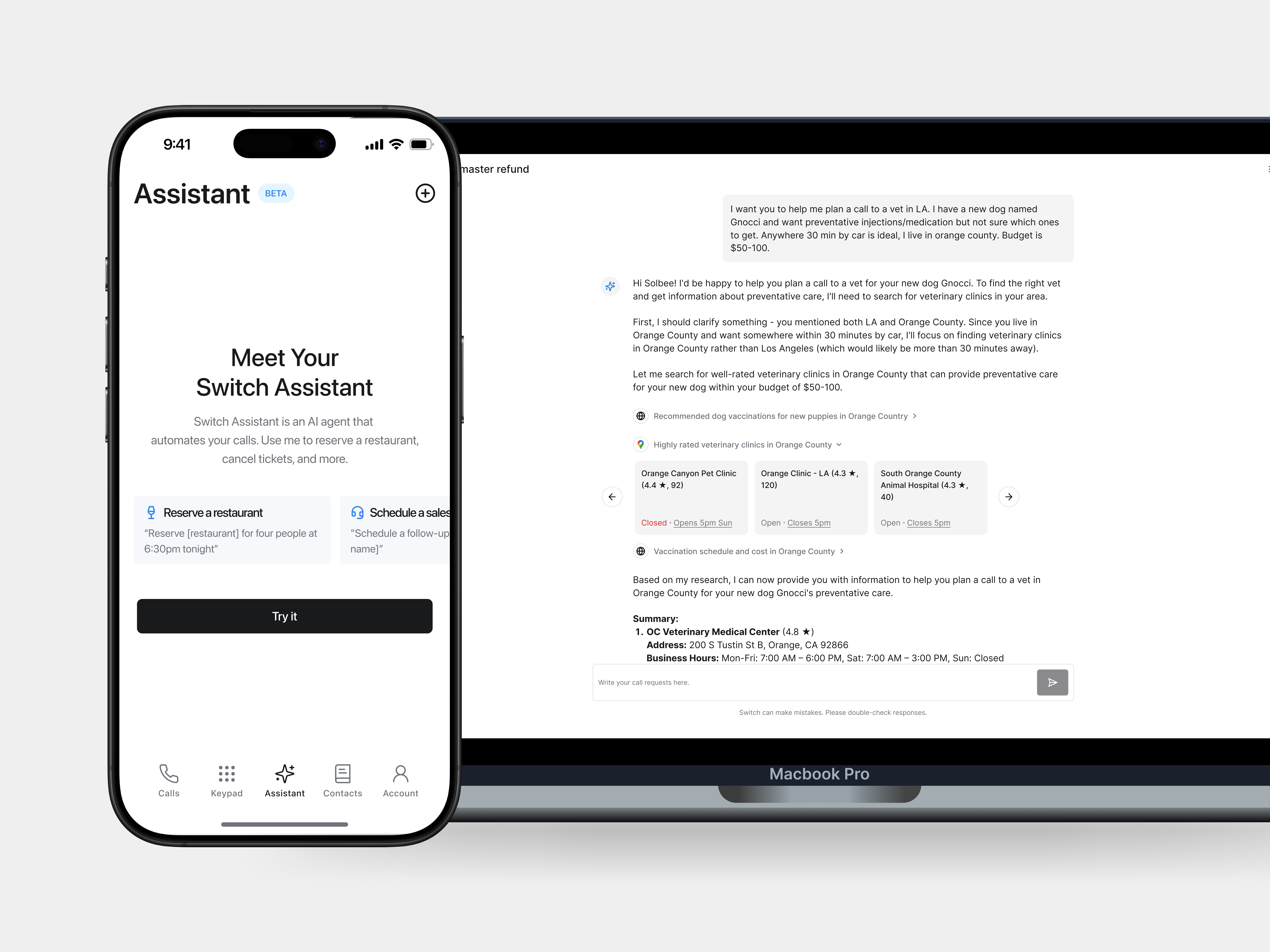
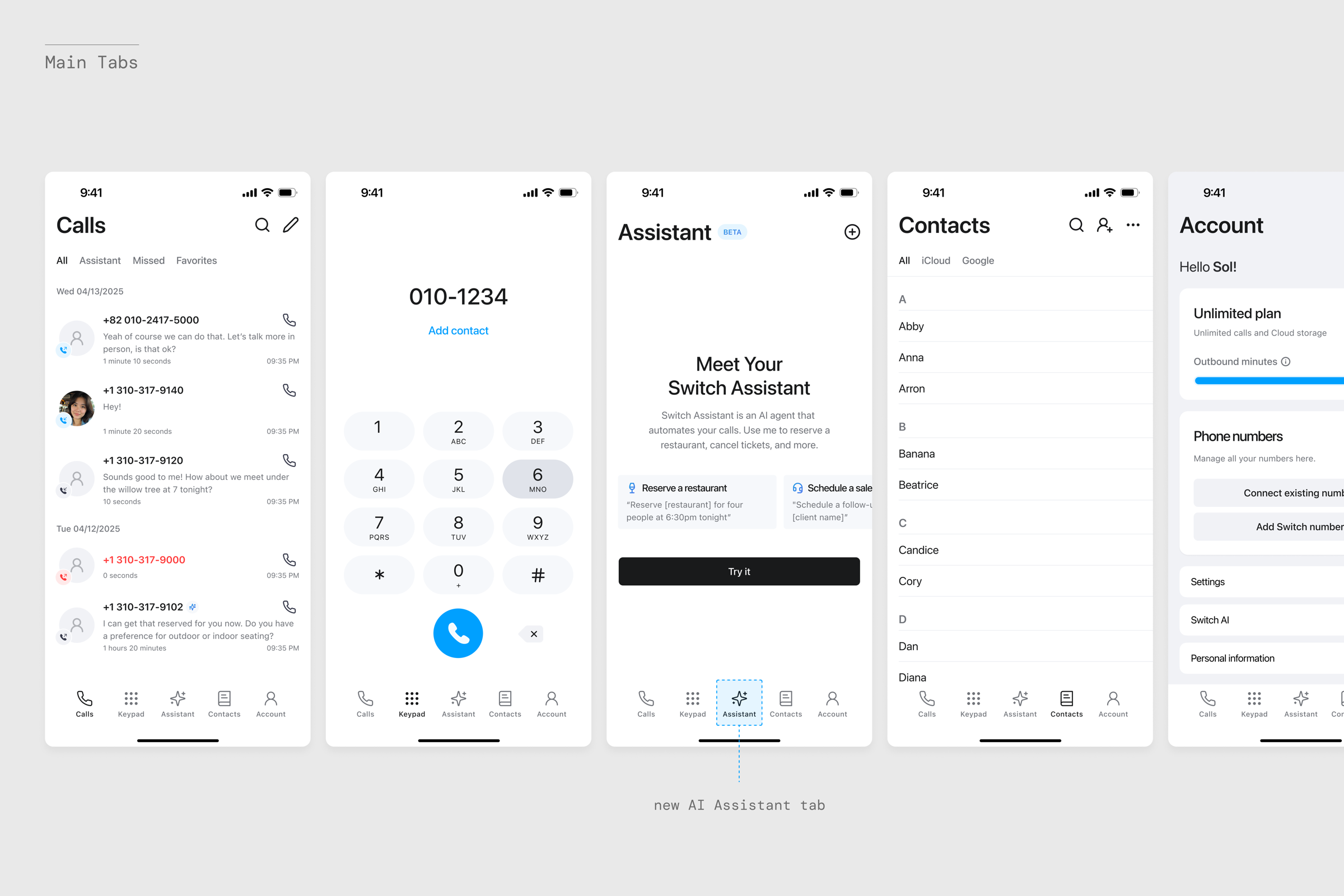
Switch had already built a call recording and live transcription app with more than one million users. In 2025 the company set out to build an AI-powered assistant that could make phone calls and complete tasks for users, such as booking a restaurant or dealing with stressful admin.
I led product discovery, user research, and UX design for this new consumer AI calling experience. The hardest part wasn't technical. It was helping people feel safe letting an AI speak for them, so trust and transparency became the heart of the work.
60% of support still happens over the phone. 65% of people avoid making calls. Only 14% trust AI to make them instead.
Sources: Zendesk, BankMyCell, PwC
Product Discovery
To test product value, I worked with marketing and CX on smoke-test experiments. We ran paid ads and landing pages that asked people to join a waitlist. The broad pitch didn't convert, as people weren't convinced it would help them.
So I interviewed participants to learn what would actually build their confidence. Three needs stood out:
- Proof that the AI can speak naturally
- Clear visibility into what is said
- Low-risk first tasks
These three needs became our design principles.
Voice Usability Exploration
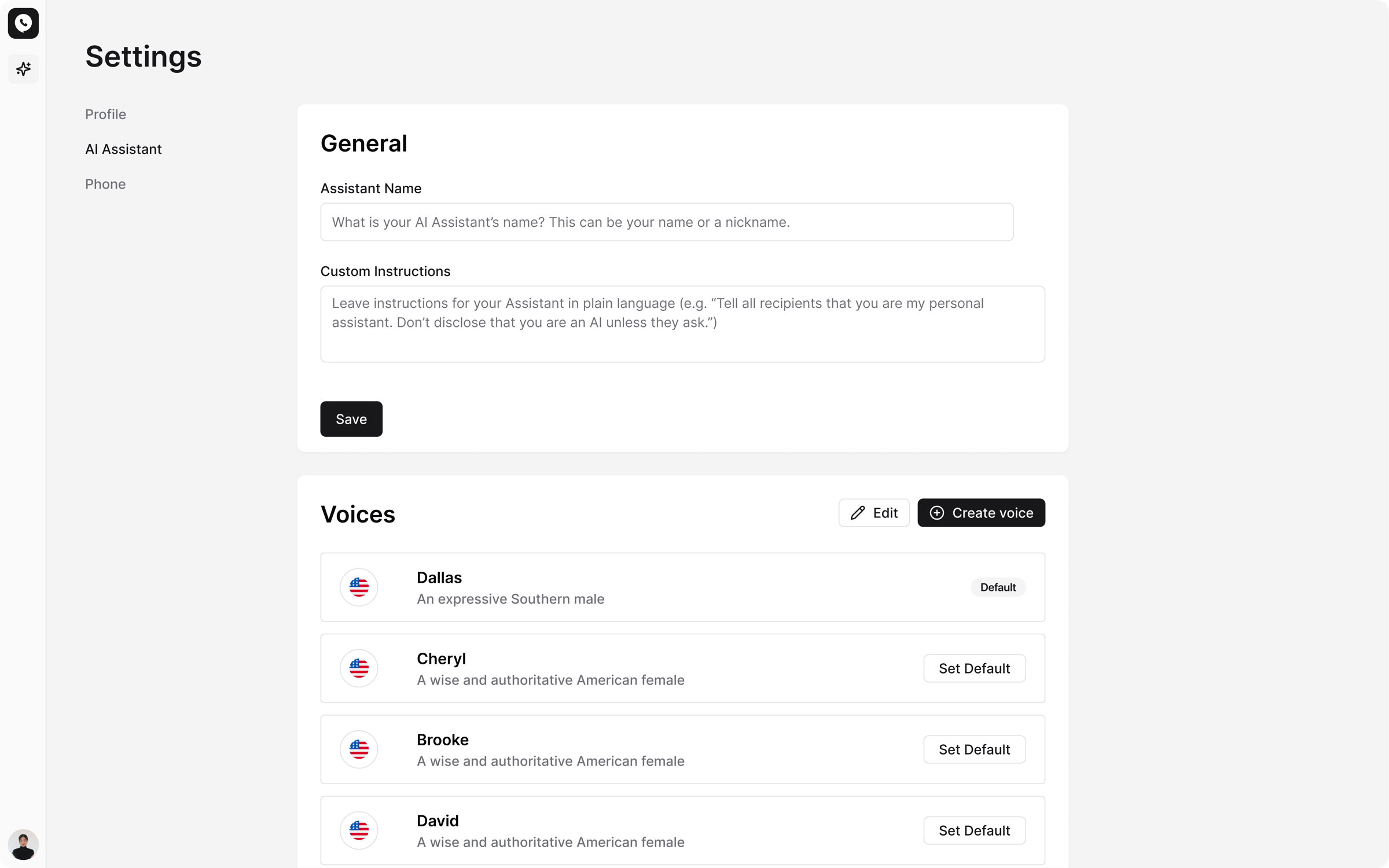
Users worried that a robotic-sounding voice would make people hang up. I worked with the AI research team to test voices from ElevenLabs, Orpheus, and Sesame, and we chose Sesame for its natural tone and realistic pacing.
Users could:
- Choose from preset voices
- Clone their own voice for comfort and familiarity
Hearing the AI sound like them made users feel represented, and more confident handing over the call.
Transparent UX and LLM Guardrails
Acting as PM, I worked closely with engineering, CX, and the CEO to define usability principles and LLM guardrails that kept users in control and removed uncertainty.
Key flows included:
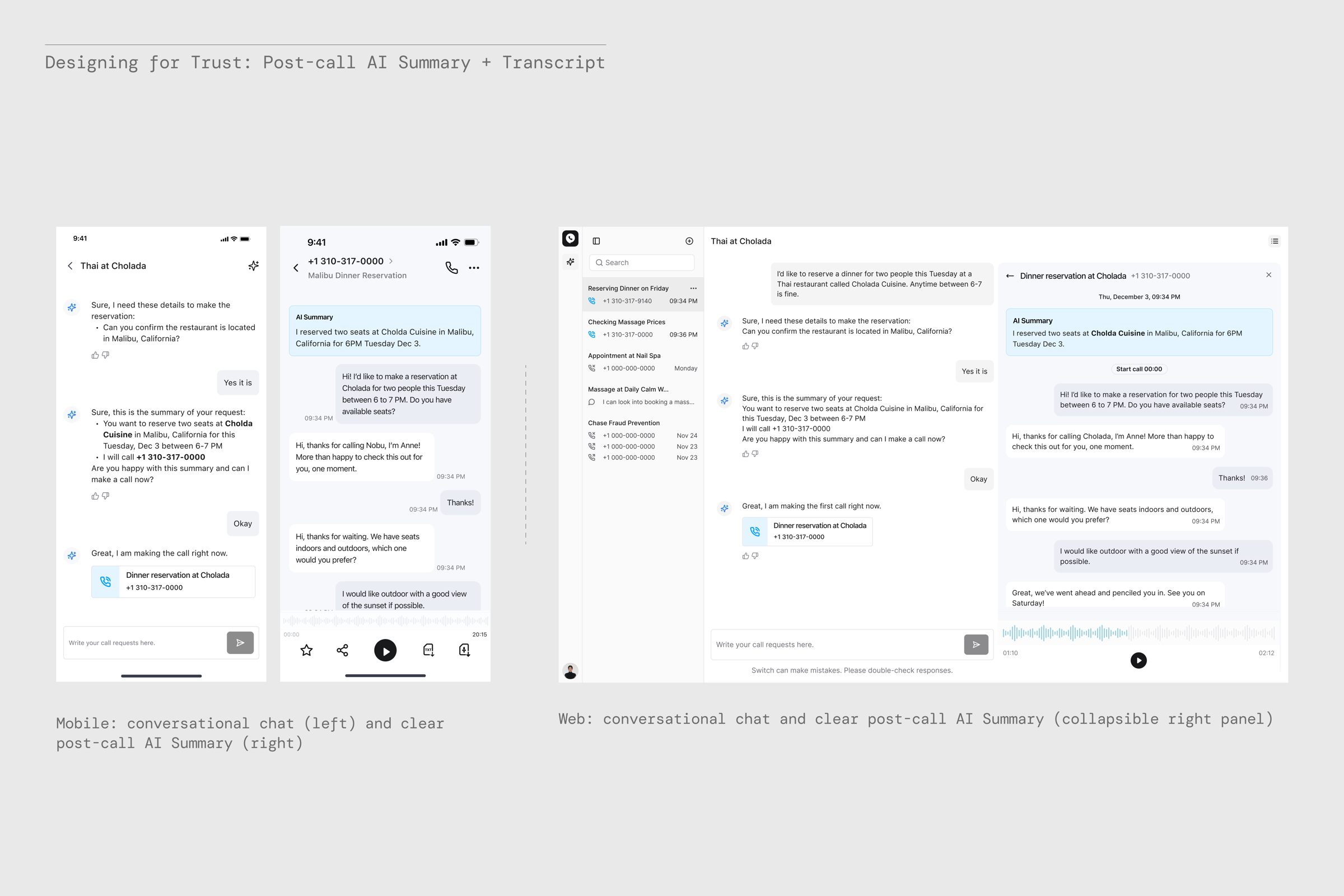
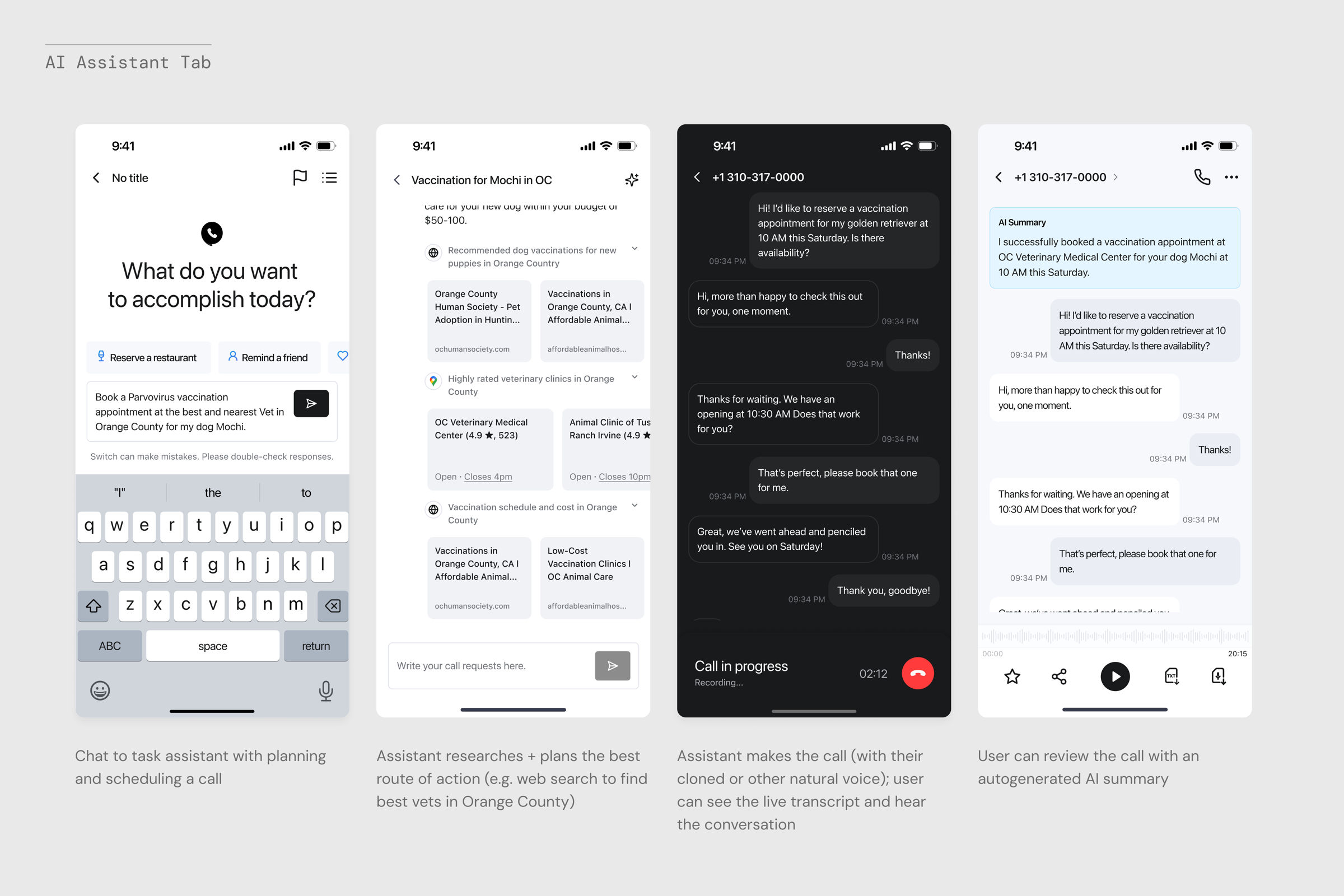
- Live transcript view to follow the conversation between the AI and the receiver
- Message prompt to correct the AI mid-call
- Clear hang-up button to stay in control
- Post-call summaries that explain what happened and why
- Web Search loading state that shows how results match the user's intent, such as location and ratings (example below)
Behind the scenes: prototyping fast with Cursor
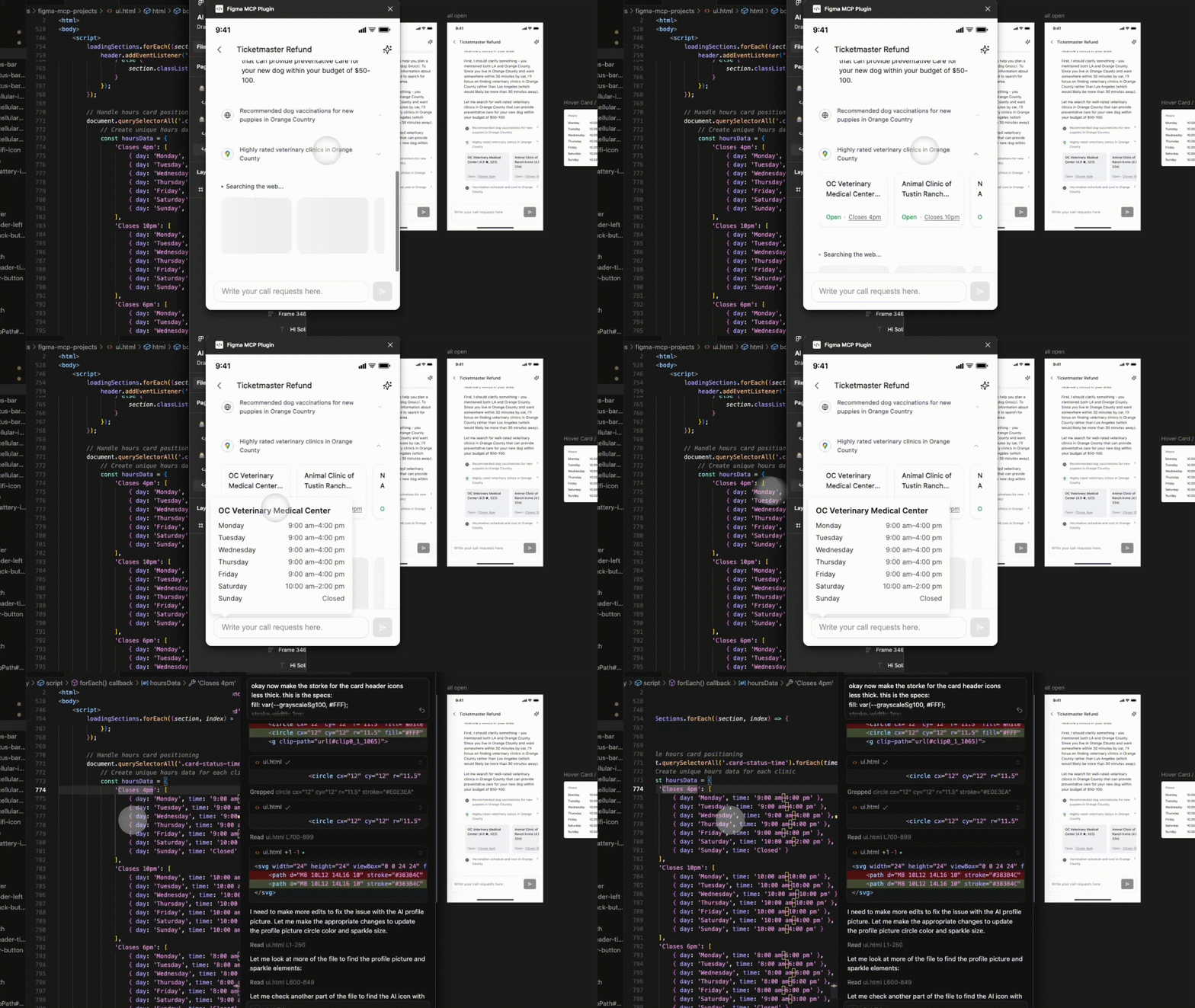
To iterate faster, I used Cursor, shadcn components, and Figma MCP to turn designs into working front-end code, then fine-tuned the behavior live with engineers.
One example was the Web Search flow. I designed the UX in Figma, synced it into Cursor with Figma MCP, and refined the code side by side until it matched the intended experience, then handed it off to the front-end developer.
This cut design-to-development handoff from 2 weeks to 1–2 days, and helped the team agree on what was truly buildable.
The private beta shipped a transparent, globally compliant AI caller. Users could:
- Set up a number in minutes in 180+ countries (via Twilio and eKYC), or connect their own
- View transcripts and summaries in real time
- Let the AI plan and schedule calls based on intent
- Have missed or failed calls retried automatically
We also explored computer control for online bookings and cancellations, but moved it to the backlog until the technology is faster and more reliable.
- Led the beta launch, reaching 150+ sign-ups in the first 24 hours.
- Identified expats and immigrants who need translation, and people disputing health insurance claims, as high-intent early adopters.
- Influenced product strategy to treat trust, transparency, and clear value as the main drivers of adoption.
- Trust is earned through visibility and control, not accuracy alone.
- AI delegation should start with low-risk tasks that build confidence over time.
- Design is strategy. As the lead designer, I shaped product direction, messaging, and go-to-market strategy while delivering the core product design.